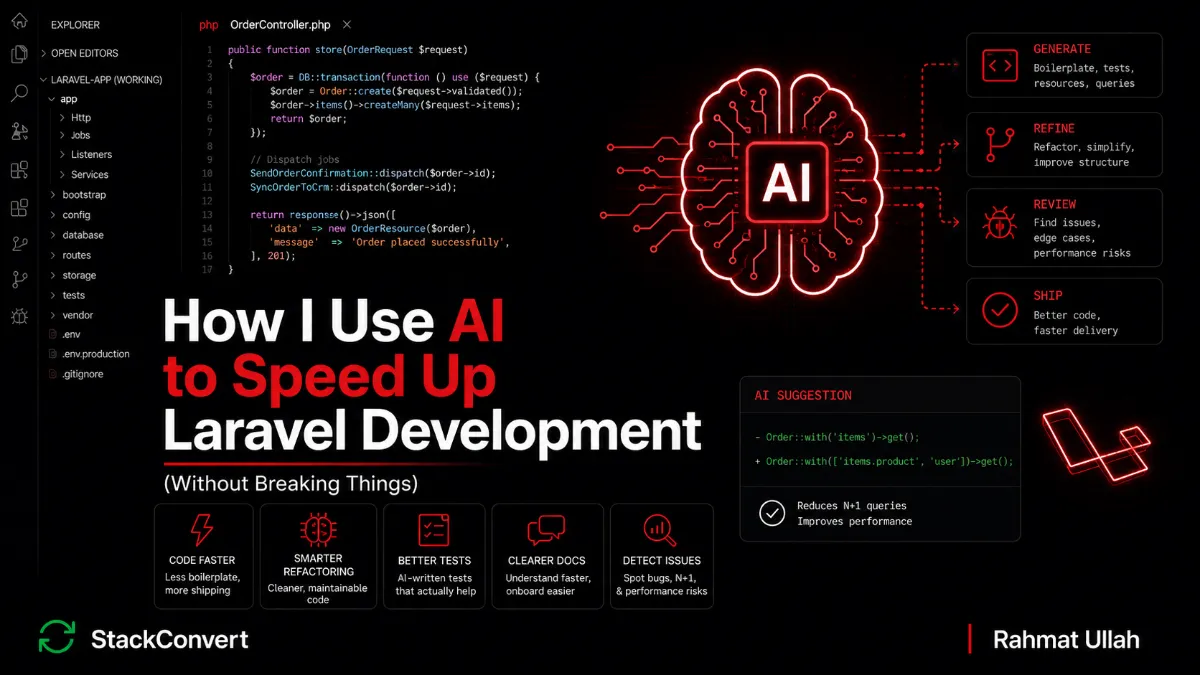
How I Use AI to Speed Up Laravel Development (Without Breaking Things)
 Rahmat Ullah
 An AI-generated refactor crossed my desk last quarter and looked perfect in review. The diff was small. The tests still passed. The query was shorter, cleaner, and avoided a whereHas in favor of a direct join. We shipped it on a Wednesday afternoon. By Friday, finance was asking why the monthly revenue report had drifted by about three percent.
The AI had seen the SQL. It had not seen the SoftDeletes trait on the parent model. The whereHas respected the global scope that hides soft-deleted rows. The hand-rolled join did not. Refunded orders had been quietly counted toward revenue for two weeks before anyone noticed. That is the entire post in one paragraph. AI makes me faster. It does not make me right.
This is the thirteenth post in my Laravel series. I have written about mistakes I stopped making, scalable application structure, performance in production, API design, authentication and authorization, abstractions, third party integrations, production debugging, scalable database schema design, long term maintainability, queues and jobs, and error handling and resilience. This one is about how I actually use AI in production Laravel work, where it earns its keep, and where I have learned to be skeptical.
Table of Contents
The Real Problem
Software development has two costs and we usually only talk about one. The first is the cost of writing code. The second, much bigger one, is the cost of understanding code, debugging it, changing it, and being responsible for it after it ships. AI is genuinely excellent at the first cost. It has done very little to lower the second one.
Most of the conversation about AI in development still measures speed of generation. Lines per minute. Demos of a working CRUD app in fifteen minutes. The harder question is whether the resulting code holds up under change, under load, under audit, under a real customer's edge case. Wrong code written faster is still wrong. A bug shipped in half the time is still a bug.
Laravel makes this worse in a specific way. The framework leans hard on convention: traits like SoftDeletes, global scopes, observers, model events, route model binding, policy auto-resolution, queue serialization, the way ShouldQueue changes a Listener's semantics. None of that is visible from the SQL or the Blade. AI sees the lines you give it. The framework is the part it cannot see.
Where Developers Use AI Wrong
A short tour of the patterns I see on teams that have adopted AI badly.
Blind copy and paste
The most common failure mode is the simplest one. A junior pastes a Laravel snippet from a chat window directly into the PR, the tests pass, the PR ships, and three months later somebody hits a bug they cannot trace because nobody remembers why the code looks like it does. Pasted code with no mental model is technical debt the moment it lands.
Generating without understanding
Related but worse: a developer accepts a piece of generated code because it "looks right." The Eloquent relationship is correct, the Policy method signature is plausible, the cache key has a sensible-looking format. None of those checks are the same as having read the code line by line and being able to defend it in review. If you cannot explain a generated line to a teammate, you do not own it yet.
Letting AI design architecture
AI is great at filling in the shape of a thing once the shape is decided. It is bad at deciding the shape. "Design my multi-tenant module," "should this be a Service or an Action," or "structure my domain layer" are prompts that produce confident, generic answers that ignore the actual constraints of your application. Architecture is the part where context matters most, and the chat window has the least.
Asking for whole features end-to-end
"Build me a subscription billing flow with Stripe, webhooks, a Sanctum-protected customer portal, and a Horizon queue for retries" is a request that returns a thousand-line response that compiles and almost works. The bugs are usually small, scattered, and load-bearing: a missing ShouldBeUnique on a Listener, a Notification that uses the wrong channel under load, a Policy that returns true for a soft-deleted resource. Reviewing that diff takes longer than writing the feature from scratch, but the cost shows up in the next sprint, not this one.
Trusting AI-generated migrations
Migrations are not "just SQL." A migration on a hot table can lock writes for minutes, partial-update half a million rows, or quietly drop a constraint nobody noticed depended on it. AI happily writes $table->dropColumn('user_id') with no understanding of which Jobs are still serializing that column, which Listeners reference it, or which foreign keys point at it. Migrations on real data have a blast radius that the chat window cannot see.
Trusting AI-generated security code
Policies, Gates, Sanctum token abilities, signed URLs, password reset flows, anything that controls access. AI will produce something that looks like a textbook example, and that is precisely the problem: textbook examples are exactly what attackers train against. A Policy that returns true for any authenticated user "because the model belongs to them" is a bug if "belongs to them" includes resources their team was removed from yesterday. Security-sensitive code is the place where "looks right" and "is right" diverge most.
Using AI as a replacement for debugging
Pasting a stack trace into a chat window and accepting the first plausible explanation skips the actual investigation. The fix that comes back is usually a fix for the most likely cause, not your cause. Real debugging is about evidence: storage/logs/laravel.log, the request ID, the queue worker output, the Horizon dashboard, the database slow log. AI is about probability. If you have not read your own logs yet, you are not ready to ask anyone (human or otherwise) for help.
How I Actually Use AI in Laravel
The model that has stuck for me is the one closest to reality. AI is a fast, eager pair programmer with strong pattern recognition and no production context. It is most valuable on the work where the pattern matters more than the context.
Boilerplate generation
This is the lowest-risk, highest-leverage use case and it is what I lean on every day. Form Requests with twenty validation rules, API Resources for a flat DTO, Factories with realistic faker output, Seeders that wire up a believable dataset, Policy classes with the full set of methods Laravel expects. The pattern is well-known, the context is right there in the schema, and the cost of a mistake is caught by the next test run.
// "Give me a FormRequest for OrderController@update against this migration."
class UpdateOrderRequest extends FormRequest
{
    public function authorize(): bool
    {
        return $this->user()->can('update', $this->route('order'));
    }

    public function rules(): array
    {
        return [
            'customer_id'      => ['required', 'integer', 'exists:customers,id'],
            'status'           => ['required', Rule::in(OrderStatus::values())],
            'currency'         => ['required', 'string', 'size:3'],
            'line_items'       => ['required', 'array', 'min:1'],
            'line_items.*.sku' => ['required', 'string', 'max:64'],
            'line_items.*.qty' => ['required', 'integer', 'min:1'],
        ];
    }
}
The same shape applies to Policy classes. I describe the Model, the roles, and the rule, and AI scaffolds the full set of methods (viewAny, view, create, update, delete, restore, forceDelete) with the right bool return types and sensible defaults pulled from our role enum. I read every line and rewrite the methods where the actual business rule is non-trivial. The boilerplate part, which is the most error-prone to type from scratch because the method signatures have to match Laravel's expectations exactly, lands correctly the first time.
Refactoring at the small scale
Extract this block into a Service class. Rename this Job everywhere it is dispatched. Split this 400-line Controller along these two responsibilities. AI is good at this because the shape of the change is mechanical and the result is easy to diff. The work I keep for myself is deciding whether the refactor is worth doing, where the boundary should be, and what the new thing should be called. The point I made in the abstractions post still applies: an abstraction is worth its weight only if it removes real duplication or creates real ownership, and AI cannot tell which is which.
Documentation and code explanation
Reading an unfamiliar package, summarizing a 600-line legacy Service, drafting an onboarding doc for a new hire on the team. AI is great at producing a first draft I can correct in ten minutes instead of writing in an hour. The Horizon configuration we inherited and never fully understood, the Sanctum abilities setup somebody added two years ago, the Listener chain that fires off a notification we cannot find the source of: all of these are easier to explain when I have a generated first pass to mark up.
Test generation
AI is genuinely good at generating Pest or PHPUnit test cases against a given class. Feature tests for a Policy with multiple roles, unit tests for a Service, queue tests that assert a Job was dispatched after an event was fired, Notification tests that check the right channels for the right user preferences. The edge cases I would have forgotten (unauthenticated, authenticated but missing the Sanctum ability, authenticated with the ability but the resource belongs to a different tenant) tend to surface from a generated suite that I then prune. The trap is accepting the assertions without reading them. A generated test with the wrong expectation passes on day one and gives you a false sense of coverage forever after.
Query analysis as a second pair of eyes
Pasting an Eloquent query and asking "where is the N+1 here," "what would a good covering index look like," or "is this whereHas the right call versus a join" usually produces a fast, useful answer. I treat it as a hypothesis to verify, not a conclusion. I confirm with the query log via DB::listen or Telescope, with EXPLAIN in the database, or by running the actual workload against a representative dataset. Half the time the AI is right; the other half, it has spotted something that looks like a problem but is not.
A second reviewer on small PRs
Before I push a PR I sometimes paste the diff and ask "what would a senior Laravel reviewer flag here." The answers are mixed. Sometimes it spots a missing return type, a Listener that should be ShouldQueue but is not, or a Resource that returns a model attribute without going through an accessor. Sometimes it invents concerns that do not apply to our codebase. As a checklist nudge it is useful. As a substitute for a real human reviewer it is not.
My Workflow: Claude, ChatGPT, and When I Use Which
I use both, and they earn their keep in different parts of the day. The split is not religious. It is about matching the tool to the shape of the work.
Claude is where I go when the question needs context. Reviewing a multi-file diff before I push it, walking through an unfamiliar Service or Listener chain, asking "is this Eloquent relationship the right shape given that we have a polymorphic commentable and these three concrete models," or thinking out loud about a refactor that spans Controllers, Jobs, and Notifications. It holds longer threads of code in its head, follows framework conventions reasonably well, and is more willing to say "I'm not sure" than to invent a confident wrong answer. For the production stories below, Claude is the tool I would have wanted at code review time and the one that, frankly, would probably have caught both.
ChatGPT is where I go when I know exactly what I want and I just need it typed. "Generate a Form Request for this migration." "Write a factory for this model with these relationships." "Give me a Pest test for this Policy method." Short, scoped, low-context tasks. It is fast, the output is usually correct on the first try for boilerplate work, and the back-and-forth is snappy enough that it does not break my flow.
Claude Code or Cursor for actual file edits in the editor. When I want a model to apply a change directly with surrounding file context (rename this method across the whole module, extract this 200-line block into a Service class and update every call site), an in-editor tool wins because it can see and edit the real files instead of working off paste.
The rough rule: ChatGPT for "type this for me," Claude for "think this through with me," in-editor tools for "apply this change for me." Mixing them up wastes time. Asking ChatGPT to reason about a tangled Listener-Event-Notification chain returns confident generic advice. Asking Claude for a single Form Request is overkill. The right tool for the right shape.
Where AI Saves Me the Most Time
Lists are easy to write and easy to ignore. The work where AI has actually moved the needle in my week looks like the three stories below.
A Notification with three channels and conditional formatting
A recent ticket asked for a new Notification when an invoice failed to charge: mail to the billing contact, a database notification for the in-app inbox, and a Slack message to the customer-success channel. Each channel wanted a different shape. Mail wanted a Blade template with the failure reason and a "retry" link. The database channel wanted a compact JSON payload with a type discriminator we use everywhere for in-app rendering. Slack wanted a block kit message with a color that varied by failure category (red for hard declines, yellow for soft).
I described the event and the three channel requirements in two paragraphs. AI produced the full class: the via() method dispatching to the right channels per user preference, the three toMail / toDatabase / toSlack methods, the right Slack block structure, the color logic mapped to the failure category enum. I read it, fixed two small things (the database payload was missing the type discriminator, and the Slack code used a deprecated attachment style we had been gradually removing), and committed. About 25 minutes of work for what would have been at least an hour and a half of mostly typing.
A Policy class for a new Model with eight actions
For a new Document model with the standard seven Policy methods plus a custom share() ability, AI scaffolded the whole class with the right method signatures, the bool return types, and reasonable defaults pulled from our existing role enum. I had to rewrite share() by hand because our sharing rules are non-trivial: a user can share a document if they own it, or if they are an editor on the same team and the document is not marked private. The other seven methods landed almost untouched, with the boilerplate signature matching that Laravel auto-resolution requires.
The PR landed in under an hour. Writing the Policy from scratch would not have been difficult, but it would have been another hour of repetitive framework plumbing: method signatures, return types, the same shape repeated for each action. That is the work AI removes from the day, not the work that decides whether the feature is correct.
A Pest feature test for a Sanctum-protected endpoint
For a Sanctum-protected API endpoint, AI generates a Pest feature test with all the right hooks: a beforeEach that sets up Sanctum, a helper to create an authenticated user with specific token abilities, the assertion against the JSON response shape, the assertion against the database state, and the cases I would have forgotten: unauthenticated request, authenticated but missing the required ability, authenticated with the ability but the resource belongs to a different team, authenticated owner but the resource is soft-deleted. I delete the cases that do not apply, fix the ones that do, and end up with a test file that is at least 70% of what I would have written, minus the boilerplate. The realistic productivity number for me on this kind of work is in the 20% to 30% range, not the 10x range the demos like to claim. The "ten times faster" framing is a sales pitch. The real gain is that the boring 20% of my week stops eating the interesting 80%.
Where I Never Trust AI
The categories below are not "AI cannot help here." They are "AI gives plausible answers that are dangerous to accept without verification, and the verification cost is higher than the generation savings, so I do the work myself."
Security-sensitive code
Policies, Gates, Sanctum token abilities and middleware, signed URLs, password reset flows, anything that touches encryption keys or session handling. AI will produce code that looks correct and contains subtle weaknesses: a Policy that grants access to soft-deleted resources, a Sanctum ability check that omits the team scope, a signed URL helper that uses a shorter signature lifetime than the link's intended use. I use AI for inspiration on these, write the actual code myself, and have a human review it.
Payment flows
Stripe, PayPal, anything where a duplicate execution costs money. The patterns are well documented and AI knows them, but it does not know your idempotency strategy, your retry policy, or your reconciliation flow. A generated webhook handler will almost always be missing a processed_events guard, a ShouldBeUnique on the dispatched Job, or the afterCommit on a Mail call inside a database transaction. The right way to use AI here is to ask it questions, not to ask it for code.
Migrations on hot tables
A generated migration that adds a NOT NULL column to a fifty-million-row table will lock the table for the duration of the rewrite. AI will not warn you. The right migration is a five-step plan (backwards-compatible add, deploy, backfill, deploy that reads from the new column, drop the old one), and I write that plan myself. The same care applies on Octane-served apps where worker memory and connection pools change what is safe to ship in a single deploy.
Complex business rules
Pricing, tax, eligibility, refund policy, anything where the rule lives in a contract or a regulation. AI will give you a generic answer that is roughly correct for a generic business. Your business is not generic. The cost of a wrong rule is real revenue and angry customers.
Performance-critical code and queue topology
A query that runs ten million times a day is not the place to accept a refactor that "looks cleaner." Picking your Horizon balance strategy (auto, simple, false), assigning Jobs to the right queue based on latency expectation, deciding when a Listener should be ShouldQueue versus synchronous, choosing a Redis vs database queue driver: these decisions require the kind of profiling and load-testing context that no chat window has.
Infrastructure decisions
Cache eviction strategy, session driver, broadcasting topology, the size of the connection pool for the read replica. AI gives you the textbook answer. Production gives you the bill. Those are not the same.
Production incident debugging
When the site is on fire I do not paste the error into a chat window and accept the first answer. I read the logs, follow the request ID, reproduce the failure, and form my own hypothesis. AI is allowed in after I know what I am looking at, never before. This is the point I made in the production debugging post: the first hour of every incident is evidence collection, and that work cannot be skipped.
Two Real Production Stories
The two examples below cost real time to debug and changed how I review AI output. Both are bugs that would not exist in another framework's stack the same way, because both depend on Laravel-specific behavior the AI did not see.
Story 1: The query refactor that ignored SoftDeletes
Back to the story from the opening, with the actual code.
The monthly revenue report ran an aggregation over completed order line items. The original query used whereHas against the parent order, with the date and status filters scoped to the relationship.
$revenue = OrderItem::query()
    ->whereHas('order', function ($query) use ($start, $end) {
        $query->whereBetween('paid_at', [$start, $end])
              ->where('status', 'completed');
    })
    ->sum('amount_cents');
Slow on big windows. A teammate pasted the query into a chat and asked for an optimization. The AI returned a clean refactor that swapped whereHas for a join. The execution plan was better. The tests we had on the report still passed (they used a small in-memory dataset with no soft-deleted orders). The PR went through.
$revenue = OrderItem::query()
    ->join('orders', 'orders.id', '=', 'order_items.order_id')
    ->whereBetween('orders.paid_at', [$start, $end])
    ->where('orders.status', 'completed')
    ->sum('order_items.amount_cents');
The bug was the one thing both the AI and the reviewer missed: the Order model uses the SoftDeletes trait. Refunded and reversed orders are soft-deleted, not hard-deleted, because finance needs them for audit trails. The original whereHas ran through the Eloquent relationship, which applies the model's global scopes, so soft-deleted orders were filtered out automatically. The raw join did not. Refunded order line items quietly contributed to the revenue total for two weeks until finance noticed the variance during the quarterly close.
The fix was one line: ->whereNull('orders.deleted_at'). But the lesson was bigger. AI saw the query as SQL. It did not see the model, the trait, the global scope, or the business reason any of those existed. The original code was doing important work invisibly, and the "optimization" silently removed that work. That kind of bug does not throw an exception. It just produces wrong numbers, confidently.
Story 2: The cache key that crossed tenants
A different kind of subtle. A dashboard widget showed each user their team's five most recent orders. The original code looked roughly like this:
public function recentOrders(): Collection
{
    $teamId = auth()->user()->current_team_id;

    return Cache::remember(
        "dashboard.recent-orders.team.{$teamId}",
        now()->addMinutes(5),
        fn () => Order::latest()->limit(5)->get()
    );
}
The Order model has a global scope that filters to the current team. The cache key correctly included the team ID. Both lines were doing work, and both were necessary.
During a "dashboard is slow on first load" investigation, an AI suggestion came back proposing a refactor: extract the cache TTL to a config value, drop the inline closure, and (this is where it went wrong) simplify the key to a constant because "the team scope on the model will handle isolation anyway." The diff went out on a Friday afternoon.
// AI-suggested "simplification"
return Cache::remember(
    'dashboard.recent-orders',
    config('dashboards.recent_orders_ttl'),
    [$this, 'fetchRecentOrders']
);
Laravel's cache is global, not per-tenant. The global scope on the Order model runs at query time, but the cache hit returns the previously cached collection without re-running any query at all. So the first user to load the dashboard after the deploy populated the cache with their team's orders. Every other user on every other team got the same five orders for the next five minutes. The bug was reported by a customer who saw a competitor's order ID briefly appear on their dashboard.
The lesson is the same shape as the SoftDeletes one. AI saw a Cache call and a query. It did not see that the cache key was load-bearing for tenant isolation, because the framework-level safety (global scope) only protected the query, not the cached result. The "optimization" silently removed a critical scope component. I now treat every cache key in a multi-tenant codebase as security-sensitive, and any AI suggestion that touches one gets the same scrutiny as a Policy change.
Two different bugs, the same underlying pattern: the framework was quietly doing work the AI could not see, and the "cleanup" removed it.
What I Avoid Now
- Copying generated code into a PR without reading it line by line.
- Asking for whole modules in one prompt and reviewing the result later.
- Letting AI make architectural calls, choose abstractions, or pick package boundaries.
- Treating AI output as a source of truth for Laravel or package behavior. Read the source, the changelog, and the docs.
- Accepting generated tests without reading the assertions. A green test with a wrong expectation is worse than no test.
- Cache keys, Policy methods, and Sanctum abilities that change without me re-asking "what was this piece of code protecting."
- Pasting production stack traces and accepting the first explanation. Read the logs first.
Key Principles I Follow
- AI accelerates execution, not judgment. The decisions remain mine.
- Review AI code like junior code. Same care, same questions, same skepticism. Especially around traits, global scopes, and conventions the framework applies invisibly.
- Trust but verify. Every suggestion is a hypothesis until I have run the right test, checked the right log, or read the right line of framework source.
- Small prompts beat giant prompts. A scoped question gets a scoped answer.
- AI is strongest on repetition. Boilerplate, refactors, scaffolding. Weakest on context and judgment.
- Humans own correctness. The author's name on the PR is mine, not the model's.
- Maintenance cost beats generation speed. If I cannot maintain it, I should not have shipped it.
Closing Thoughts
AI has changed my workflow more than any single tool of the last decade, but not in the way the demos suggest. It has not made me a faster designer of systems or a better debugger. It has made the unglamorous 20% of my week (boilerplate, scaffolding, repetitive refactors, drafting docs) take a quarter of the time it used to. The time I get back goes into the work that always mattered most: deciding what to build, owning the edge cases, and making sure the next engineer on the file can understand what is there.
The biggest mistake I see in teams adopting AI is treating it as a shortcut around understanding. It is not. It is a multiplier on understanding you already have, and a quiet liability where you do not. The engineers who get the most out of it are the ones who were already careful, opinionated, and read every line of every PR. The ones who get hurt by it are the ones who used to skip those steps and have now found a way to skip them faster.
Laravel rewards depth. The framework is doing a lot of invisible work for you on every request: route binding, policy resolution, model scopes, event firing, queue serialization, observer side effects. An AI that has never seen your codebase cannot reason about any of that. The senior engineer's job was never typing fast. It was knowing which lines of every diff carry the risk, which assumptions the framework is silently making, and which "optimization" is about to inflate next quarter's revenue report by three percent or leak one customer's data to another. AI has not retired that job. If anything, it has made it the only part of the job that still matters.
The sticky-note version: AI is the fastest junior developer I have ever worked with. It is also the one that is most confidently wrong. Pair with it that way, and the speed is real. Forget the second half, and the bugs are real too.
How are you using AI in your Laravel workflow today?