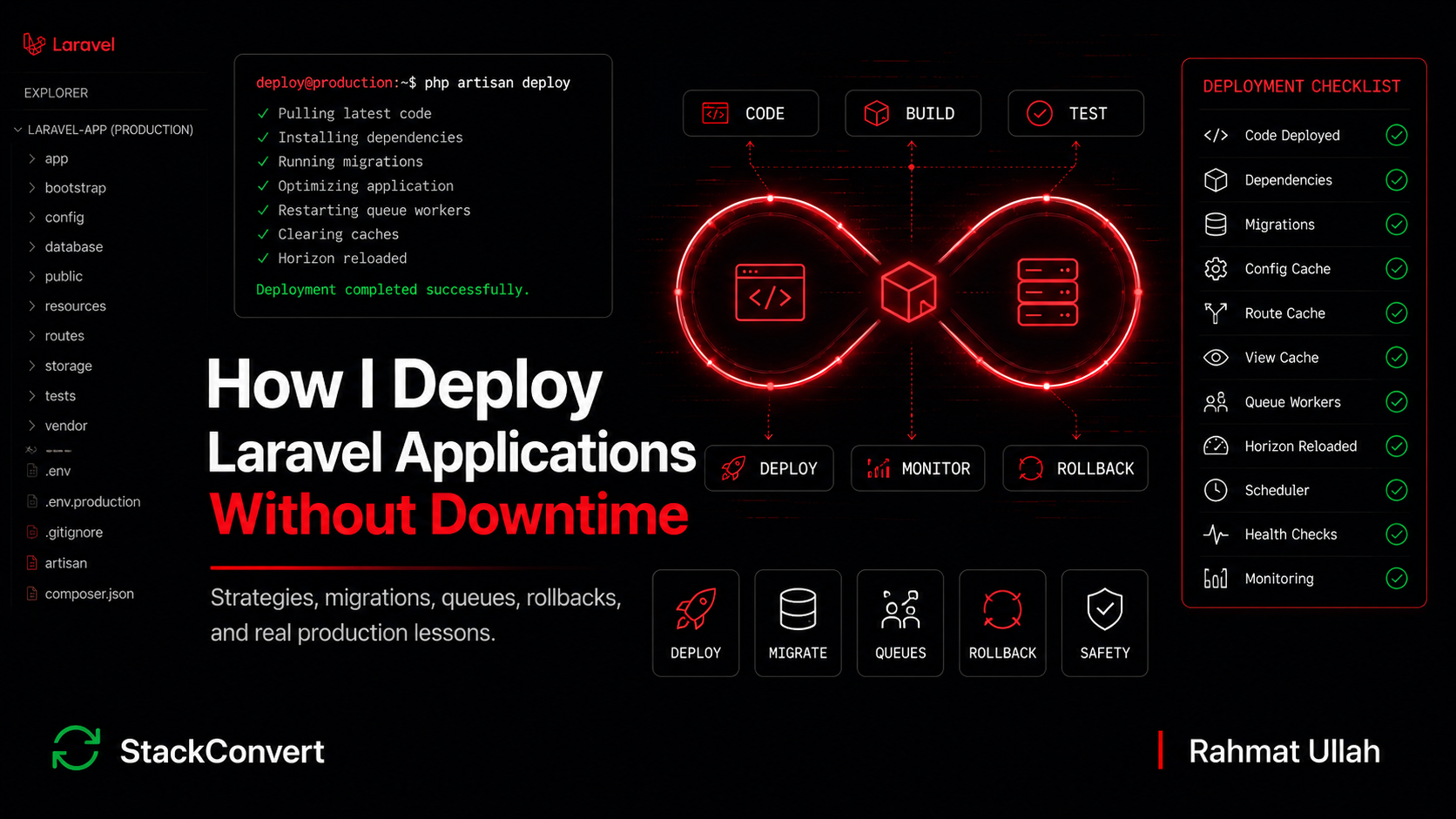
How I Deploy Laravel Applications Without Downtime
 Rahmat Ullah
The deploy went out at 11 PM. CI passed. The health check returned 200. The homepage loaded. The monitoring dashboard turned green and stayed green. By every metric we cared about, the release had succeeded.
Ninety minutes later, support started seeing a slow trickle of "I never got my invoice" tickets. The queue dashboard was clean. The web logs were quiet. It took another forty minutes to realize the problem: the queue workers had never restarted. They were still running the previous release's class definitions. New jobs serialized by the new code (with a renamed property on a payload object) were failing deserialization on workers that did not know the property existed. The failures were piling up in failed_jobs the entire time, but nobody had thought to look there because the deploy had "succeeded."
That night taught me the lesson this whole article is built around. A deployment is not finished when the web server is updated. A deployment is finished when the entire system is running the new version safely.
This is the fourteenth post in my Laravel series. I have written about mistakes I stopped making, scalable application structure, performance in production, API design, authentication and authorization, abstractions, third party integrations, production debugging, scalable database schema design, long term maintainability, queues and jobs, error handling and resilience, and using AI in Laravel work. This one is about deployment: what broke in production, what I do now to avoid downtime, and the discipline that makes Laravel releases boring.
Table of Contents
- The Most Dangerous Deployment Myth
- What Broke In My Early Deployments
- My Current Deployment Philosophy
- Queue Workers Are Part of the Deployment
- Migration Safety Matters More Than Most Developers Think
- Config Cache, Route Cache, and Other Hidden Footguns
- Rollbacks Are Harder Than People Think
- Blue/Green Deployments and Where They Actually Help
- The Deployment Checklist I Actually Follow
- What I Would Tell My Younger Self
- Closing Thoughts
The Most Dangerous Deployment Myth
Most teams measure "deployment succeeded" wrong. The dashboard turns green because the dashboard pings the homepage. The CI badge goes from yellow to green because the build artifact uploaded cleanly. Slack gets a "deploy completed" message. Everyone moves on with their evening.
But a Laravel deployment touches more than the web server. Web servers (Nginx and PHP-FPM, or long-lived Octane workers), queue workers and their Horizon supervisors, the scheduler running from cron, the Redis or filesystem holding compiled config and routes, the database schema, storage symlinks, and any third party whose webhook signatures or callback URLs reference the new release. A real deployment succeeded only when every one of those survived the transition. The homepage rendering proves PHP-FPM picked up the new code. It proves nothing about the workers, the scheduler, or the migration that has not finished backfilling yet.
Most deployment incidents I have debugged were not Laravel bugs. They were assumption bugs. Somebody assumed the workers would pick up the new code. Somebody assumed the config cache rebuild had run. Somebody assumed the migration would finish in seconds because it finished in seconds on staging. Production has a habit of disagreeing.
What Broke In My Early Deployments
A short tour of mistakes I have personally shipped to production, each of which cost real time to clean up.
Running risky migrations directly during the deploy window
The first time I added a NOT NULL column to a twelve million row orders table, I ran the migration inline as part of the deploy script. The table locked for thirty-eight minutes while MySQL rewrote every row. Reads still worked. Writes hung. We were effectively read-only at peak hours. Marketing was running an email campaign at the same time. I learned that night that "the migration is in the release" and "the migration is safe to run inline" are not the same statement.
Assuming rollback was easy
One Friday afternoon release dropped an unused column. Two hours later, a downstream reporting service we had forgotten about was still reading from it. Rolling back the code did not bring the column back. The "rollback" turned into a six-hour restore from backup and a difficult conversation about loss of new orders.
Deploying on Friday afternoon
Every Friday deploy I have shipped has either been uneventful or has eaten my weekend. The math is straightforward: a deploy that goes wrong on Tuesday morning has a full team available. The same deploy on Friday evening has one tired person and an out-of-office responder.
Shipping schema and code changes in the same release
The bug that bit me hardest. A migration changed the shape of a column. The code that read from that column shipped in the same release. Rolling back the code without rolling back the migration meant the old code could not read the new shape. Rolling back the migration could not happen because the data conversion was lossy. We had to forward-fix under pressure. Splitting schema and code into separate releases is one of the cheapest pieces of insurance I know.
My Current Deployment Philosophy
Five principles that have held up across every Laravel app I have shipped or inherited.
1. Deployments must be boring
A deployment that requires concentration is a deployment that will eventually fail. Every step that needs a human to remember something is a step that will be forgotten on the third Tuesday in a row at 2 AM. The cure for excitement is automation and rehearsal. If the deploy script does not also run on staging in exactly the same shape, the script is not real.
2. Every deployment must be reversible
The code part has to be reversible at all times. A deploy that ships a destructive schema change without a fallback path is a deploy that cannot be rolled back, and a deploy that cannot be rolled back is a bet, not a release. If the only way out of a bad release is a forward fix, the team should know that in advance, not discover it under pressure.
3. Backward compatibility beats speed
The temptation is always to combine "ship the new column" and "use the new column" into one release. It is faster. It is also the single most common cause of half-deployed production states where a worker on the old code is writing to columns the new code has already retired. Two releases that each maintain a working application beat one release that briefly does not.
4. Databases deserve more respect than code
Code can be redeployed in seconds. Schema changes can be irreversible. Lost data is lost. The migration that "should be fast" on a five-row staging dataset can lock the production table for forty minutes. I treat every migration as a production incident waiting to happen and review it accordingly.
5. A successful deployment is one nobody notices
The best deploys I have shipped were the ones where nothing changed visibly. No errors. No spikes. No support tickets. The team's evening was not interrupted. The dashboard's noise floor did not move. That is not "boring." That is the actual goal.
Queue Workers Are Part of the Deployment
This is the section I wish somebody had handed me five years ago.
PHP loads its autoloader at process start and keeps the class definitions in memory until the process exits. A queue worker is a long-running PHP process. When you push new files to disk, those files do not magically reach the worker's memory. The worker is still running the previous release's classes. It will keep running them until somebody restarts the process.
The same trap exists on Laravel Octane. Octane keeps PHP processes alive across requests for performance, which is the entire point. After a deploy, php artisan octane:reload is what tells those workers to swap to the new code. Without it, the homepage loads, the new files sit on disk, and Octane is still serving the previous release from memory. The deploy looks done. The system is not.
php artisan queue:restart does not kill workers directly. It writes a flag that workers check between jobs. When the flag is set, the worker finishes its current job and exits cleanly. Whatever supervises the worker (Supervisor, systemd, or Horizon's master process) is responsible for starting a fresh process, which then loads the new code.
Several things can break that chain. The current job runs long, so the restart stalls behind it. The supervisor is misconfigured and never starts a fresh process. A slow generation-zero job holds a Horizon slot past the restart signal. Each looks like a different bug. The root cause is the same: assuming the restart will happen on its own.
What I do now:
- Run
php artisan queue:restartat the end of every deploy, after code and caches are updated. On Octane apps, the equivalent step isoctane:reload. - Confirm Horizon's
balancestrategy (auto,simple,false) matches the job mix the release is shipping. A release that shifts volume between queues can starve supervisors that were sized for a different workload, and the symptom shows up as one queue's age climbing while the others look fine. - Wait for the worker process count to actually cycle before declaring the deploy complete. The Horizon dashboard shows this. On raw Supervisor, the process IDs in
psshould be newer than the deploy timestamp. - Cap individual job runtime with
$timeoutso the restart cannot stall behind a runaway job. - For breaking changes to a job's payload shape, deploy in two phases. Phase one: the worker accepts both the old and new shape. Phase two: the dispatcher only sends the new shape. Once no old payloads remain on the queue, the compatibility code can be removed in a later release.
The same logic applies to the scheduler. php artisan schedule:run is a short-lived process invoked by cron, so it picks up new code on the next minute. The scheduled tasks themselves, however, may dispatch Jobs that depend on the new payload shape. Releases that change scheduled work need the same two-phase thinking.
For more on the surrounding queue patterns (idempotency, retry policy, the cost of a half-deployed worker pool), the queues and jobs post earlier in this series goes into the application-side discipline that makes deploy-time discipline possible.
Migration Safety Matters More Than Most Developers Think
Migrations are the most dangerous step in any Laravel deploy. They are the one part that can take the application down even when every other part went perfectly.
The behaviors that bite hardest:
- ALTER TABLE on a hot table locks writes for the duration of the rewrite. On large tables that means minutes, not seconds.
- Adding a NOT NULL column with a default value rewrites every row on most MySQL versions.
- Adding a foreign key constraint revalidates the entire table.
- Dropping a column makes rollback impossible without restoring from backup.
- Renaming a column with code that references the old name still in flight produces immediate errors on requests that hit the old code path.
The pattern that has held up across every production app I have shipped is the expand-and-contract migration. It feels slow. It is slow. It is also the only pattern I have found that survives a production change.
- Deploy a migration that adds the new column as nullable. Old code is unaffected.
- Deploy code that writes to both the old and new columns. Reads still use the old column.
- Backfill the new column from the old one with a queued job or a one-off command. This can run for hours without locking writes.
- Deploy code that reads from the new column. The old column is now write-only.
- Much later, in a separate release after the system has been stable, drop the old column.
Every step is reversible. No step locks the table. Production traffic never sees a half-state. The cost is five deploys instead of one, which is a price I will pay every time over a forty minute outage.
For tables over a few million rows, I keep heavy schema changes out of the deploy pipeline entirely. Tools like pt-online-schema-change or gh-ost rebuild the table in the background without locking. The deploy script then runs only the light schema changes that are safe to run inline. The schema design choices that make this approach viable are the same ones I covered in the database schema post.
Config Cache, Route Cache, and Other Hidden Footguns
Two stories from the same category, both cost real teams real hours.
Story 1: The Stripe webhook secret that nobody rebuilt
The platform team rotated the Stripe webhook signing secret. The new value was pushed to every web server's .env. The deploy went out. Health checks passed. Three minutes later, every incoming Stripe webhook started failing signature verification.
The team spent the first hour convinced it was a Stripe issue. Then somebody pulled up a production console and ran php artisan config:show services.stripe.webhook_secret. The cached config was still serving the old secret. The deploy had updated the .env files but never rebuilt config:cache, and config:cache reads the env at build time and freezes the result. Subsequent edits to the env file have no effect on the running application until the cache is rebuilt.
Story 2: The Postmark token that worked everywhere except the queue
A few months later, on a different team, the same root cause produced a different shape of bug. Security rotated our Postmark API token as part of a routine credential rotation. The new value was synced to every server's .env by the platform team's configuration management. No code deploy. Just an environment update.
Outbound mail kept working from the admin panel. Any synchronous send went through. Then queued mail jobs started failing with generic 401 responses from Postmark. The failed_jobs count climbed slowly, one or two per minute, easy to miss against the normal background noise.
The investigation followed the obvious path first. Postmark's status page was green. The credential rotation runbook had been followed correctly. Rate limit dashboards were well below threshold. The 401 from Postmark just said "Invalid API token," which was exactly what would appear if the token was wrong, but the token in .env was definitely the new one. Multiple engineers verified that with cat .env | grep POSTMARK on every server.
The breakthrough came when somebody opened tinker on a queue worker host and ran config('services.postmark.token'). The cached value was the old token. The web servers had had their config cache rebuilt during the last code deploy a few days earlier, which is why synchronous mail from the admin panel still worked. The queue worker hosts had not had a code deploy in the rotation window, so their cached config still held the previous token. Running php artisan config:cache on the worker fleet drained the failure rate to zero within minutes.
The lesson is the one that always bites in this category. The .env is not the source of truth at runtime. The compiled cache is. Anything that updates one without updating the other creates a state where the application behaves consistently and incorrectly, which is the hardest shape of bug to triage. It does not throw exceptions. It does not show up on monitoring. It just produces the wrong outcome quietly, until somebody notices.
The other caches in this family
Beyond config:cache, the same trap shape applies to:
route:cacheprecompiles the route definitions and silently refuses to build if any route uses a closure.event:cachefreezes the event-to-listener mapping. Adding a new listener requires a rebuild.view:cachemostly works automatically, but stale compiled views can mask Blade changes when filesystem timestamps lie (Docker bind mounts are a common source).
What I do now:
- Cache rebuild is a fixed step in every deploy, in the order: clear, then rebuild,
config:cachefirst so the rest of the deploy uses the new values. - Any change to
.envin production triggers a config cache rebuild, even if no code is shipping. An env edit without a rebuild is not a real change. - Closure-based routes are not allowed in production code.
route:cacheneeds invokable handlers or controller methods. - Cache rebuilds run on every host that runs the app, including queue workers and the scheduler host, not just the web fleet.
The production debugging post covers the discipline of confirming what the live process actually believes, which is the cure for this entire class of footgun.
Rollbacks Are Harder Than People Think
Rolling back code is easy. Deploy the previous revision and the application goes back to its prior behavior. The deploy tooling makes this look like a single click.
Rolling back a database is something else. Some rollbacks are not possible. Some are technically possible but expensive. The ones the team can actually execute under pressure are a small subset of the ones the team thinks it can execute.
The categories I separate in my head:
- Code-only rollback. The release shipped no migrations. The old code revision will work against the existing schema. This is the only rollback I trust to be fast.
- Migration rollback via
down(). Reversible only if thedown()method exists, has been tested, and the migration was not destructive. In practice I find this works for maybe half of the migrations I review. - Forward fix. The previous release was the last working state, but there is no way to get back to it without losing data. The team writes new code that repairs the situation and ships it under pressure. Not technically a rollback, but the only path available.
- Restore from backup. The data has been irreversibly changed. The only way out is to roll the database back to a snapshot and accept the data loss between the snapshot and now. This is the worst category because the lost data is real customer state.
The release that pushed me into being strict about this was one I covered briefly above. A migration dropped an unused column in what I thought was an unused table. The downstream reporting service that read from it had been forgotten by everyone on the call. Rolling back the code did not bring the column back. The migration had no real down(). The actual recovery was a partial database restore and a manual reconciliation. The post-incident review had a single line at the top: the rollback plan should have been written before the deploy, not invented during the incident.
Now every deploy I ship has a rollback plan in the PR description. If the rollback involves a forward fix or a backup restore, that is called out in plain language and reviewed before approval. If it would lose data, the release does not ship without a feature flag that lets us cut over the risky code path without redeploying.
Blue/Green Deployments and Where They Actually Help
Blue/green is the strategy of running two identical production environments. New code deploys to the inactive one (green), traffic switches over once it is verified healthy, and the previous environment (blue) becomes the standby. If something goes wrong on green, traffic switches back.
When it helps: rollback time is more important than infrastructure cost, the warmup window for caches and workers is meaningful, and the team has the discipline to keep both environments genuinely identical.
When it is overkill: the app is small enough that a short retry window is tolerable, most of your past "rollbacks" were actually forward fixes anyway, or shared state (database, Redis, in-flight queue jobs) makes the two colors hard to cut over cleanly.
Important reality: blue/green does not solve migration safety. A migration that locks a table breaks both colors because they share the same database. Blue/green is a code-path safety mechanism. The data path needs its own discipline.
On the platform side:
- Laravel Forge does atomic symlink swaps for the code path in its deploy script. The deployment hooks run in order: clone the new release into
releases/{timestamp}, run composer install, swap thecurrentsymlink, then run post-deploy actions. The migration step and the queue restart belong in the post-deploy hook, because a failure there does not roll back the symlink. The application is already serving the new code by the time the hook fires. - Laravel Vapor on AWS Lambda gets code-path atomicity at the Lambda version layer. Each deploy is a new version with traffic shifted at the alias. Queue workers run in containers and need the same restart discipline. Migrations remain entirely your problem, and the cold-start cost of a brand new Lambda version is real on the first few requests after the cut over.
- Kubernetes rolling deploys are blue/green at the pod level with finer granularity, at the cost of more moving parts and the ever-present "two pod generations serving traffic at the same time" window that backward-compatible releases are designed for.
- Traditional VPS deploys with Envoy or Deployer do atomic symlink swaps cheaply. The current symlink points at
/releases/X, the new release is laid out at/releases/Y, the swap is a single syscall. PHP-FPM still needs a graceful reload to refresh opcache. Workers still need the samequeue:restartdance.
Most Laravel apps do not need full blue/green. They need three things: atomic code swaps so the web server is never serving partial code, queue worker restarts that actually restart, and migrations that do not lock the database. Get those three right and the perceived need for blue/green often disappears.
The Deployment Checklist I Actually Follow
Not a generic best-practice list. The items below are the ones that have prevented real outages on real production releases.
Before deploy
- Every migration in the release is reviewed for hot-table risk. If the table is over a few million rows, the migration ships as expand-and-contract or runs outside the deploy pipeline.
- The rollback path is written into the PR description. If a forward fix is the only option, that is called out and a feature flag is in place.
- If the release touches job payload shapes, the two-phase compatibility plan is documented.
- Feature flags for the risky new code paths are off by default. They go on in a separate change after the deploy is stable.
During deploy
- Pull code first. Run migrations second. Rebuild caches third. Restart workers fourth.
- Migrations run before the new code is serving traffic, not concurrently.
- Cache rebuild order:
config:cache, thenroute:cache, thenevent:cache. - Worker restart is confirmed by process count, not by the exit code of
queue:restart. On Octane,octane:reloadis part of the same step.
After deploy
- Horizon dashboard: worker count, oldest waiting job, failure rate. All three back to baseline.
- Tail
storage/logs/laravel.logfor at least five minutes. Watchfailed_jobsfor any new entries since deploy start. - Hit the three critical user flows manually: log in, run the most common action, check the dashboard.
- Confirm monitoring (error rate, p95 latency, queue depth) matches the pre-deploy baseline. Any drift is the new state to investigate.
What I Would Tell My Younger Self
The lessons I wish I had absorbed faster:
- The database is the real application. Code is what you ship. The database is what you run. Treat schema changes with the gravity that gap implies.
- Deployments are engineering, not DevOps paperwork. The deploy is a feature. It deserves design review, code review, and operational sign-off, not a checkbox at the end of a sprint.
- Small releases are safer than large releases. The team that ships ten times a week with a one-line release has a quieter on-call than the team that ships once a month with fifty.
- Friday deploys are expensive. The deploy might be fine. The incident that follows it is not.
- Monitoring is part of deployment. If you cannot see whether the new release is working, you have not finished deploying.
- The boring deploy is the good deploy. When the team starts feeling that a release is "interesting," that is the signal that the process has stopped protecting them.
Closing Thoughts
The best Laravel deployments I have ever shipped were the ones where nothing happened. The dashboard did not change. Support did not get tickets. The team did not spend the evening watching graphs. Somebody pushed code at 11 AM and went to lunch. The new release was running quietly by 11:15.
Getting there is not glamorous. It is migration discipline, worker restart discipline, cache rebuild discipline, and a rollback plan in every PR. None of it is the kind of engineering that ends up in conference talks. All of it is the kind of engineering that decides whether the on-call rotation feels manageable or feels like a punishment.
Early in my career I thought of deployment as the last step before a feature was finished. Now I think of it as the first time the work is actually evaluated. The local tests, the staging runs, the code review: all of it is hypothesis. The deploy is where that hypothesis meets production data, production traffic, and the assumptions nobody on the team knew they were holding. Until the new release is running, nobody actually knows whether it works. The code "worked on my machine" because my machine was not production.
The sticky note version: the best deployment I ever had is the one nobody remembers, including me. Build the kind of pipeline that produces those, and the next release stops being a thing you brace for.
What is the most expensive deployment lesson you ever learned the hard way?